Skip to content
RSXDesign

05 · RSX Design

Brand architecture

Not everything RSX makes wears the RSX symbol. Services do; products have marks of their own, drawn on the same grid. This page sets out which is which, and why.

Two kinds of identity

Parent mark

RSX services

The parts of RSX that people visit and sign in to. They are RSX, so they use the RSX symbol and are named RSX plus their function. None has a symbol of its own.

RSXIDRSXCDN

Own mark

Products

Distinct pieces of the system with a role of their own. Each has its own symbol, logo and textmark. They share the RSX grid and textmark lettering, never the RSX symbol, and are monochrome so they never read as RSX itself.

RSX services

Each service is identified by the interface lockup: the RSX symbol, the name, and the function after a rule. Services that do not exist yet are not listed.

  • RSX

    rsx.group

    The main site: what RSX is, what it runs, and who runs it.

  • RSXID

    id.rsx.group

    One account across everything RSX runs, and the OpenID Connect provider behind it.

  • RSXCDN

    cdn.rsx.group

    File hosting and sharing, served from its own domain.

  • RSXLegal

    legal.rsx.group

    The terms, policies and notices governing the platform.

  • RSXDesign

    design.rsx.group

    This reference.

A new service follows the same pattern from its first page: RSX plus one plain word for what it does, on its own subdomain, using the parent symbol. It does not get a symbol of its own, however prominent it becomes.

Products

Four product identities, all currently infrastructure: the system RSX runs on, rather than something a person signs in to. Their marks are published here so that every use of them starts from the right file.

Native

Infrastructure

The custom-built, Linux-based operating system that runs first-class RSX infrastructure hardware.

Relationship
The bottom of the stack. RSX Infra runs on machines running Native.
Construction
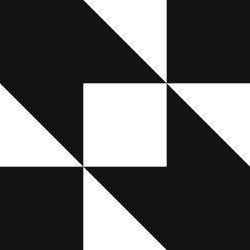
Assembled. The four corner modules, joined by two parallel diagonal bands that pass either side of an open centre.
Variants
Ink, Paper, Black, White. Never RSX red.
Native files
Infrastructure

The connectivity layer linking Native, Node and enrolled devices with RSX Infra.

Relationship
Joins every other part of the infrastructure to RSX Infra.
Construction
Assembled. Two L-shapes of whole modules, interlocked around an open centre. The only mark with no diagonal.
Variants
Ink, Paper, Black, White. Never RSX red.

Link files

Metal

Infrastructure

The custom-built Rust library for Discord integrations.

Relationship
Internal: what RSX's Discord integrations are built on.
Construction
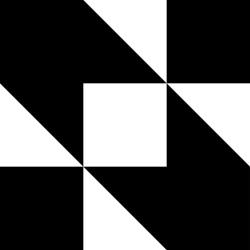
Cut in. A solid block with one narrow wedge cut down from its top edge, its point on the first module line, a module and a half in.
Variants
Ink, Paper, Black, White. Never RSX red.
Note
Metal may be released publicly in future. Its identity is already complete for that, and is published the same way until then.
Metal files

The shared grid

Every RSX mark is boxed: it fills the same square, divided three by three. What differs is how the shape is made inside it.

Cut in

Start from the solid square and cut wedges out of it. The block stays dominant and the cut is the identity. RSX and Metal are cut in.

Assembled

Build the shape from whole modules and the diagonals between their corners, leaving the centre open. Native, Node and Link are assembled.

  • RSX

    Cut in. Three wedges cut from a solid block, from the left, right and bottom edges, leave an arrow pointing up and to the left. Every point falls on a module or half-module line.

  • Native

    Assembled. The four corner modules, joined by two parallel diagonal bands that pass either side of an open centre.


  • Node

    Assembled. A ring of modules around an open centre, its top and bottom rows sheared into parallelograms.

  • Link

    Assembled. Two L-shapes of whole modules, interlocked around an open centre. The only mark with no diagonal.

  • Metal

    Cut in. A solid block with one narrow wedge cut down from its top edge, its point on the first module line, a module and a half in.

The logos follow the same logic: symbol, a gap of about one module, then the textmark, all in the same drawn lettering. A family resemblance comes from the grid and the lettering; no mark borrows another’s shape.

Adding an identity

Do

  • Use the parent lockup for anything people visit or sign in to: RSX plus its function.
  • Give a mark of its own only to a distinct part of the system with its own role.
  • Draw a new product mark on the 3×3 grid, filling the square, in monochrome.
  • Add it to assets-src, regenerate the files, and list it here before it is used anywhere.

Don't

  • Recolour, relabel, rotate or re-cut the RSX symbol to make a product mark.
  • Give a service its own symbol because it has become prominent.
  • Use RSX red for a product mark.
  • Use a mark in public that is not published on this page.